
Publish
Ship the Card With the First Draft
The card should exist the minute the post goes live — no scramble to generate one after the tweet is already out.
Without a card, an article unfurls as naked text in feeds — indistinguishable from spam. Turn any post URL into a share image built from its real headline, byline, and brand.
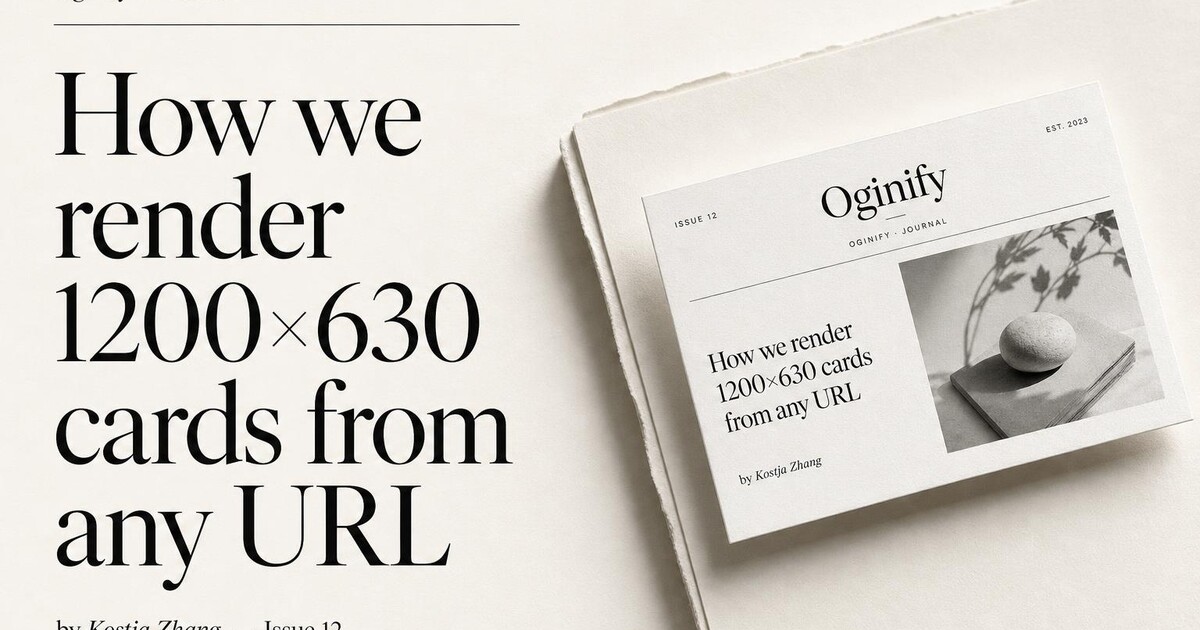
Built for the way modern teams publish at scale — per-post, brand-aware, and wired into any CMS without a plugin.
Oginify fetches the article's actual <h1> and byline from the live page. No copy-paste, no manual override, no editor having to remember to set an image before publishing. What's on the page is what's on the card.
Mobile feeds downsample OG cards to half size. The article preset uses oversized display type with a short kicker so the headline still reads when the card is the size of a postage stamp in someone's thumb.
One generic 'the blog' card across 200 posts looks like spam and tells readers nothing. Re-run Oginify per URL, or wire the API into your publish flow so every new post gets its own card automatically.
A card that breaks on LinkedIn is worse than no card at all. The built-in Open Graph validator confirms X, LinkedIn, Slack and iMessage render the article exactly the way you intend before the post goes live.
Title changed after a copy-edit? Hero photo swapped? Re-run the URL and the card updates in seconds. No CMS migration, no manual upload, no waiting on a deploy.
Oginify reads the rendered HTML, so it works with WordPress, Ghost, Substack, Sanity, Contentful, Notion and hand-rolled blogs alike. If the page renders in a browser, Oginify can read it.
SaaS · stacklane.com
The product wordmark stays quiet; the post headline does the work. That's the whole move for B2B SaaS blog cards, and it's also why a stale brand-only card gets scrolled past on launch day — there's no headline to hook anyone. Oginify pulls the real <h1> from the live post and renders it in display type, with the wordmark dropped to a signature mark in the corner.
E-commerce · kestrel & co
DTC editorial — brand stories, look-books, behind-the-scenes diaries — exists to do the brand work the PDPs can't. Flatten it into a platform-default card and you've burned the lift. Oginify lifts the article's hero photo, sets the headline in a serif worthy of a magazine feature, and lets the photographic space breathe — the unfurl arrives as an editorial spread, which is the point of writing the post.
Content & media · the meridian
A magazine feature shared by an inbox subscriber needs to look like the magazine — same masthead typography, same issue-number language, same byline rule. A flat platform unfurl breaks that contract on every share. Oginify keeps the publication's display serif intact, stamps the issue or date kicker, and treats the article card as part of the editorial system instead of an afterthought.
Dev tool · forge.dev
Engineers on Hacker News can smell a marketing card from three sentences in, and once they do the link doesn't get clicked. The terminal preset answers it: monospace headline, faint scan-line texture, an accent rule pulled from the brand. To the reader on r/programming, the unfurl looks like something a developer wrote at 11 PM, which is roughly the truth.
Long-form posts live or die on the preview. Editorial teams need a card that carries the headline, not the site logo.
Publish
The card should exist the minute the post goes live — no scramble to generate one after the tweet is already out.
Byline
Author name and article H1 together — the reader clicks because they know who wrote it and what it is about.
Syndication
Even when Substack, Hacker News and LinkedIn strip the design system, the card keeps the brand on the reader screen.
CMS hook
CMS platforms baking OG into publish flows call the endpoint from the save hook so every new post lands with its own card.
Give every article its own card — headline, byline, publication mark — so a link to page 30 of the archive looks as intentional as the homepage.
Grab the H1 verbatim; do not paraphrase for the card. Long headlines get a two-line break at a comma or dash, never mid-word.
Small mono row under the H1: author, ISO date, section slug. That row is what turns a raw title into an editorial artifact on X and LinkedIn.
Wire the maker to your CMS webhook so publish and edit events rebuild the card and repaint og:image without a human ever opening a design file.
HomepagePricing pagesDocs & API referencesCase studies & customer storiesChangelog & release notesComparison & vs pagesAbout & company pages
Per-article Open Graph card generation for blogs, magazines and content archives.
Point your CMS's publish webhook at the Oginify API with the post URL. We read the article headline, byline, hero and brand color, and return four 1200×630 cards in ~30 seconds. Write the top URL back into the post's og:image field before publish completes.
Per-article, on any blog where individual posts get shared. A single site-wide card turns every share into an identical thumbnail; per-article cards carry the actual headline into feeds and lift CTR 2–4× on X and LinkedIn based on internal telemetry from three publisher customers.
Headline, subhead/dek, byline, publish date, hero image if present, and the site's primary brand color and logo. If the post has no hero, we compose a type-forward card from the headline. All five inputs are read directly from your HTML — no manual data entry.
POST article URLs to the API in batches (60/min rate limit, ~1,000/hour), write the returned CDN URLs into the CMS's og:image field, and resubmit the sitemap so crawlers re-scrape. A 5,000-post archive backfills in ~5 hours end-to-end at the Growth PAYG rate.
Not automatically — the CDN URL is cached. Re-run the URL through the API on update to regenerate, then swap the og:image path. Most publishing platforms already emit an update webhook alongside the publish one; wire both to the same handler and edits stay in sync.
Stock plugins reuse the article's hero photo scaled to 1200×630 — usually badly cropped, no headline overlay, no branding. Oginify composes a purpose-built card with headline, brand color and logo. Same input, different output category.
Paste any article URL and get a per-post 1200×630 Open Graph card in seconds. No signup, no CMS plugin.