Full asset set
Fill Every RDA Slot in One Pass
Generate the 1:1, 1.91:1 and 4:5 creatives from the same brief so Google Ads stops rejecting the group for missing sizes.
One brand read, two Google Ads assets — the wide horizontal and the balanced square painted from the same source and centered so the GDN crop engine has room to breathe.
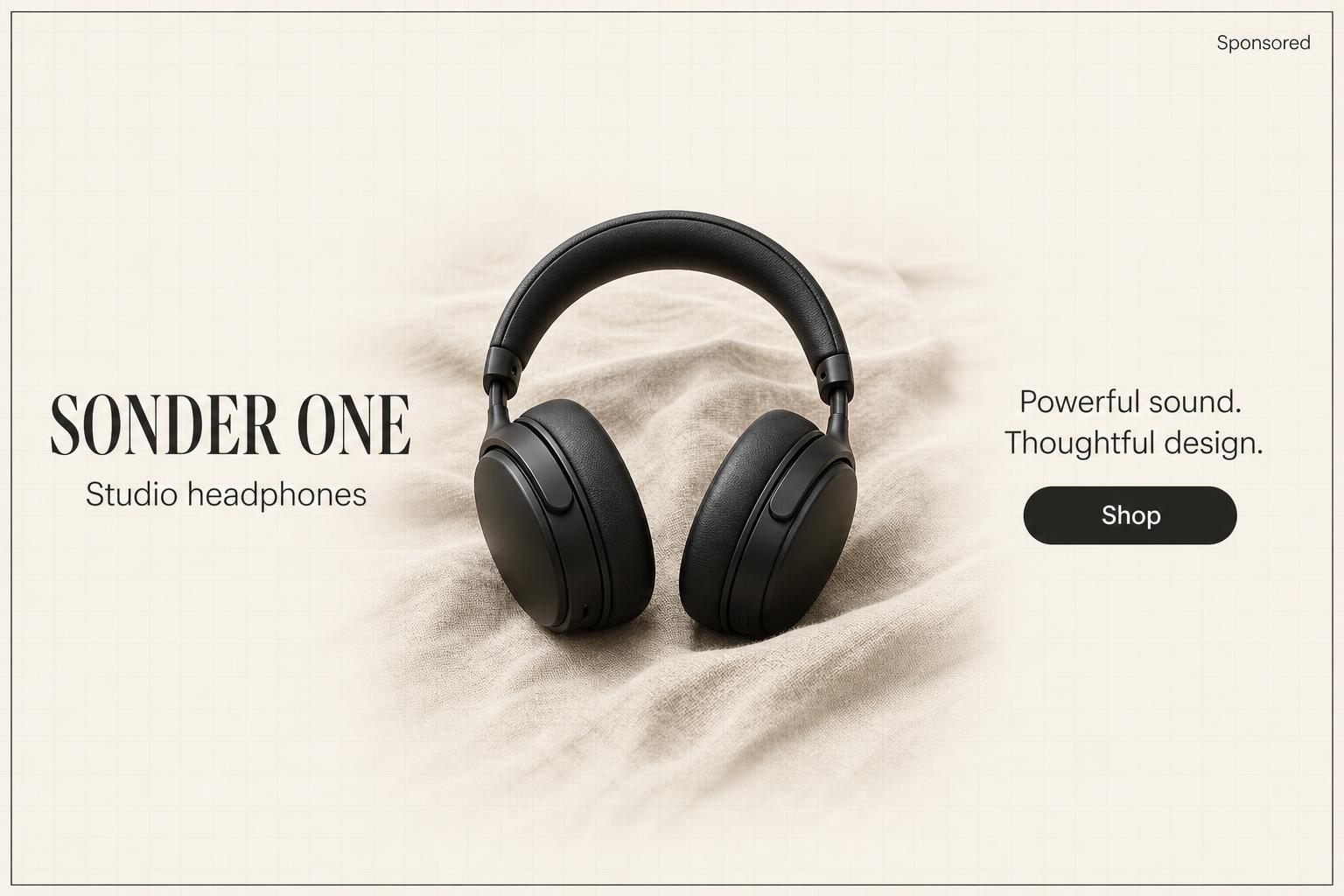
A responsive display ad isn't one image — it's one source asset Google reshapes into leaderboards, MPUs, skyscrapers, mobile banners, Gmail rows and YouTube companions. Most templates only survive one of those.
Composition is anchored to the center with a 10% safe inset on every edge. The same hero stays readable when GDN crops it into a 728×90 leaderboard, a 300×250 MPU, a 160×600 skyscraper or a 320×50 mobile banner — the four placements that absorb most Display impressions.
Google requires both ratios; uploading only the horizontal leaves Gmail and mobile-feed inventory unaddressed. Oginify paints the 1200 × 628 and the 600 × 600 from a single brand read in the same pass — so the square isn't a sad center-crop of the horizontal.
Google Ads lets you upload up to 15 images per ratio and recommends five. Oginify is built to be paste-five-URLs-fast — refresh the hero five times across the same brand and ship a real asset rotation, not one creative repeated.
GDN inventory is fragmented by design — Performance Max, Demand Gen, retargeting and standard Display all draw from the same asset pool but render at wildly different sizes. The fix isn't a bigger canvas; it's a hero composed for the smallest legible crop and a square sibling painted in lock-step.
Drop in the URL of a homepage you're driving cold traffic to, a product page you're retargeting, a SaaS landing pushing trial signups, or an e-commerce store. Oginify reads the brand once and emits both ratios in a single pass — no manual canvas duplication, no off-brand square.
Run it yourself with our MIT-licensed Agent Skill, let Oginify paint the ad, or compare against generic template builders.
| Oginify Managed SaaS | Canva templates DIY editor | Google AI assets Auto-generated | |
|---|---|---|---|
| Output ratio | 1200 × 628 + 600 × 600 | Manual canvas resize | Often only 1.91:1 |
| Brand match | Auto-detected from URL | Your tokens, your time | Generic |
| Under 20% text | Sized to clear by default | You eyeball it | Usually |
| Crop-safe at any slot | 10% safe inset built-in | Manual per export | Sometimes |
| 1.91:1 + 1:1 pair | Painted together | Two separate files | Inconsistent |
| Setup | Paste a URL | Sign up + drag editor | In-account suggestion |
| Cost | Free · $0.99 optional tip | Freemium · $13/mo Pro | Free, ad-budget locked |
| Best for | Ship one ad right now | Hand-crafted single asset | Quick fill, low control |
One brief, every Google RDA slot — square, landscape, portrait and headline variants, all export-ready.
Full asset set
Generate the 1:1, 1.91:1 and 4:5 creatives from the same brief so Google Ads stops rejecting the group for missing sizes.
Landing pair
Feed the landing URL, keep the hero product and headline consistent between the ad and the page it clicks through to.
Seasonal swap
Regenerate the visual for a new promo, keep the copy skeleton — the ad group history stays intact.
Bootstrapped growth
Solo founders funding their own growth get a full RDA set in the time an agency needs to reply to the brief.
Paste a landing page. Oginify reads the brand, paints one image that survives every GDN crop, and ships both required ratios in a single upload-ready bundle.
Drop the URL you want to promote. We extract brand, headline, description, palette and a transparent logo — everything Google asks for, without manual entry.
Center-anchored hero with a 10 percent safe inset on every edge, pre-tested against 728×90, 300×250, 160×600 and 320×50 so no headline gets cropped.
Download a horizontal 1200×628 and a square 600×600 JPG or PNG, each under 5 MB, ready to upload to Google Ads Responsive Display in one go.
Google's Responsive Display Ad asset requirements, aspect ratios and the 5MB cap.
Google Ads requires two aspect ratios: landscape 1.91:1 at 1200×628 and square 1:1 at 1200×1200. Both must be under 5MB in JPG, PNG or static GIF. Oginify generates both ratios in the same pass from a single URL so you don't render each size separately.
Up to 15 marketing images and 5 logos per ad. Google auto-combines assets into layouts and picks the best-performing combination per placement. The practical minimum for optimization is 3 landscape + 3 square + 1 logo; Oginify's four-card output covers that in one URL paste.
No — Responsive Display Ads flex across the entire Google Display Network, Discovery feed, YouTube in-feed and Gmail promotions. The asset combinations Google auto-generates are what fill those placements. Feed both 1.91:1 and 1:1 assets and Google handles the rest.
Google recommends keeping text on the image below 20% of area — anything more triggers a lower ad-strength score. Rely on the separate headline and description fields (up to 5 headlines and 5 descriptions per ad) for the copy. Oginify's images are typography-light by default.
The Asset Library stores creatives you already have; it doesn't create them. Performance Max asset packs are for the PMax campaign type, not RDA. Oginify generates the image assets themselves — designed at the 1200×628 and 1200×1200 specs, ready to drop into either surface.
Paste the campaign landing-page URL into Oginify each quarter. The generator re-reads the page (any new hero, headline or product photography) and paints fresh 1200×628 and 1200×1200 assets from that state, so creative refresh becomes a five-minute task instead of a design ticket.
Paste any landing-page URL. Back comes both a 1200 × 628 horizontal and a 600 × 600 square — sized for every GDN crop, ready to upload.