
Weekly post
Ship the Card With Every Publish
The post goes live at noon; the card should exist at 11:59 — not by end of day when the tweet is already stale.
When every post is a share opportunity, the plugin-free way to give each one a card that carries its real headline, byline, and brand — from Substack to hand-rolled Markdown.
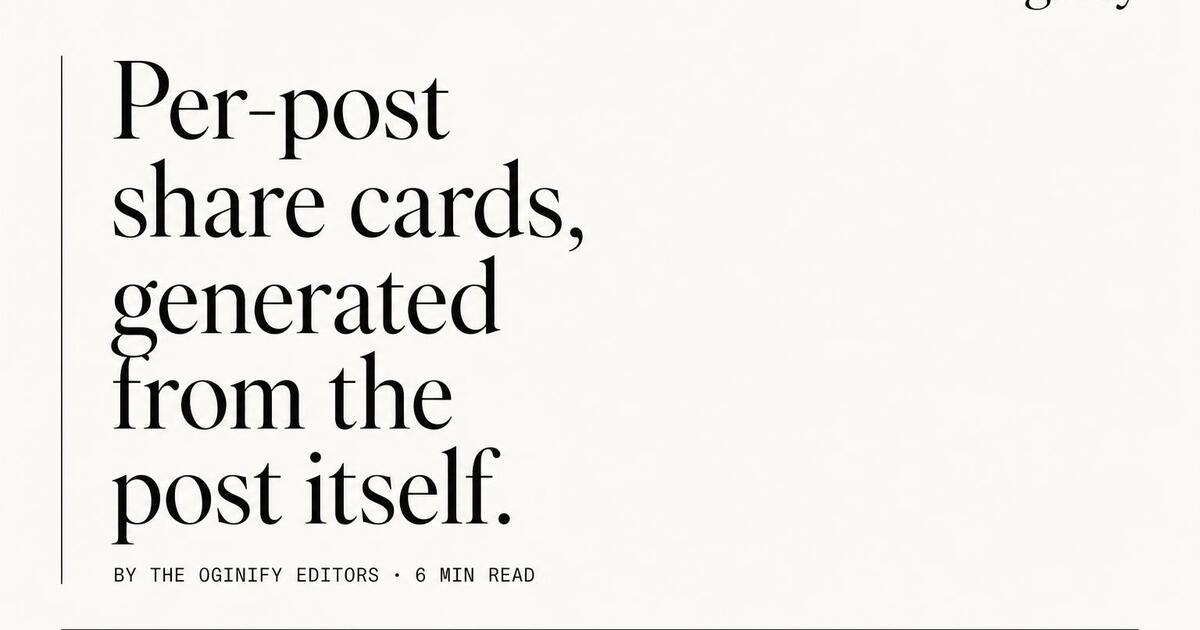
On a content-first site, the card is the post — it's what determines whether the link in someone's tweet gets clicked or scrolled past. A single masthead card across 500 posts is a self-inflicted wound.
Oginify reads the post's actual <h1>, byline and publish date from the rendered page. No editor has to remember to set an image, no template field to fill in. Publish a post, generate a card, ship.
Blog cards look like blogs, not SaaS landings. The magazine preset gives you a tall serif headline, a left-margin byline rule and a discrete dateline chip — the visual system readers associate with publications they trust.
Substack, Ghost, WordPress, Hugo, Astro, Next.js, hand-rolled — Oginify reads the rendered HTML, so the stack doesn't matter. Stamp the og:image URL into the head once per post and you're done.
Wire the Oginify API into your CMS's publish webhook (Ghost and WordPress both support this natively). Every new post hits the API with its URL and gets a card back before the post goes live to subscribers.
Multi-author blogs get an author wordmark on each card automatically. Readers learn to recognize their favorite writer's byline in the feed, before they even read the headline.
Headline changed after a copy-edit? Hero photo swapped on a republish? Re-run the URL and the card updates. The version on Twitter from last year unfurls with the fresh card next time someone clicks it.
Substack & Beehiiv
Substack issues live in inboxes first, but they spread on Twitter and LinkedIn afterward — and every quote-tweet shows the OG card. The magazine preset gives every issue a publication-style card with an issue number kicker and a serif headline. Readers learn to recognize the newsletter at a glance, the same way they recognize a magazine cover.
Ghost & WordPress
Ghost and WordPress blogs span everything from personal essays to professional editorial sites. Oginify wires into both via the publish webhook — when a post is published, the API generates a card and the CMS stamps the URL into the og:image field. No editor action required.
Engineering blog
Engineering writeups need to look like the writer codes, not like the marketing team scheduled them. The terminal preset gives you a monospace headline, an accent rule and an optional code snippet — the kind of card that gets upvoted on Hacker News instead of flagged as growth content.
News & op-ed
News and op-ed sites need tabloid weight — dense typography, dateline, byline rule, a clear hierarchy that signals reportage. The newspaper preset gives you all four. In a feed dominated by influencer takes and brand content, the unfurl arrives looking like journalism and gets clicked accordingly.
Blog URLs land in newsletters, aggregators and Slack digests. The card should preview the post, not the publication mask.
Weekly post
The post goes live at noon; the card should exist at 11:59 — not by end of day when the tweet is already stale.
Headline
The single most effective preview is the article headline set large — the blog wordmark tucks bottom-left.
Newsletter
Substack and Buttondown pick the OG image for the digest tile — a generic banner turns every issue into visual noise.
Archive
Solo blogs like indie writers who never got around to OG can regenerate the entire archive with one script call per slug.
Every post needs a card with its own headline, author and cover — done as a build step, not a designer ticket, so 200 posts ship in a weekend.
The build reads front-matter and article H1; author, publish date and hero image become the card's slot values with zero manual entry.
Tech posts get terminal-lite, essays get editorial, interviews get magazine — category maps to template so browsing feels sectioned.
Cards write to /public/og as PNG on build, then rebuild on any commit that touches the source .mdx so the crawler never sees a stale image.
E-commerce storesSaaS & B2BPortfolios & personal sitesMarketplacesDocs sitesMedia & publicationsEvents & conferences
Per-article OG cards for independent blogs, Substack, Ghost and Medium.
Ghost supports outbound webhooks natively — point publish and update events at the Oginify API. Substack doesn't expose webhooks; use the API in a small serverless handler triggered on your RSS feed diff, then update posts via the Substack API. Both take ~50 lines of glue code.
No official Oginify plugin yet, but Yoast SEO and Rank Math both expose a filter for the og:image URL. Pipe your published post URL through the API in a small custom plugin and return the CDN URL from that filter — the SEO plugin writes it into the meta tag automatically.
WordPress (via Yoast/Rank Math filter), Ghost (webhook), Substack (RSS + API), Medium (limited — Medium overrides og:image with its default), Sanity/Contentful/Notion (webhook), Hashnode (webhook), Dev.to (via canonical URL webhook to your source blog).
Personal blog: magazine editorial or newspaper — matches the essay format. Engineering blog: terminal or Swiss — matches the code-forward audience. Lock one style per publication so the pattern is recognizable across posts; readers learn to spot your blog in a feed.
Backfill only if the old posts still get traffic and shares. Run the API against the top 100 posts by unique visits in your analytics; that usually covers 80% of the share volume with 20% of the backfill cost.
WordPress reuses the featured image scaled to 1200×630 — often badly cropped, no headline overlay, no brand color. Oginify composes a purpose-built card with headline, hero, brand color and logo. Same input source, different output category.
Paste any post URL and get a per-post 1200×630 Open Graph card in seconds. No CMS plugin, no signup.