
Announce
Ship the Card With the Launch Post
Product Hunt day, the tweet and the share preview should be one identity — same headline, same UI slice.
B2B SaaS lives or dies in Slack — pricing links pasted into decision threads, changelog posts DM'd to power users, blogs LinkedIn-shared by AEs. Ship cards that hold up on every hop.
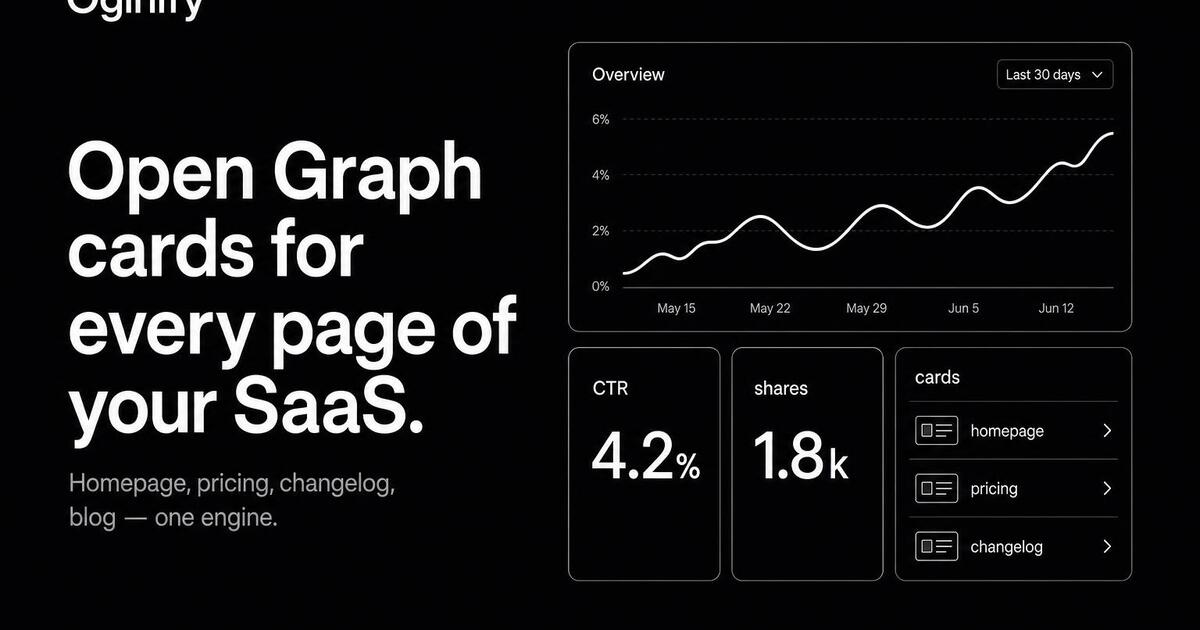
A SaaS site is really four sites stapled together — marketing, pricing, blog, changelog. Each has a different reader and a different sharing pattern. One generic OG image doesn't serve any of them.
Oginify enforces a single brand system across the whole site — homepage, pricing, blog and changelog cards share the same palette, type and grid. Buyers see consistency in their feed, not a different brand on every link.
Same brand, different layout per page type. The pricing card surfaces a plan chip; the changelog card surfaces a version number; the blog card surfaces the byline. Consistent system, page-appropriate content.
The Oginify API takes a URL in, returns a card URL out. Drop it into the webhook your CMS or codegen platform fires on publish — every new blog post, changelog entry and pricing change ships with a fresh card automatically.
B2B sharing happens in three channels — Slack, LinkedIn and X. The 1200×630 card renders identically on all three plus Discord and iMessage. One asset, every channel.
The default direction for SaaS is Swiss — tight grid, generous margins, one accent, no theatrics. The card reads as serious software, not a marketing campaign. Wildcard directions are available for launch days.
Staging and production can ship different cards — useful for previewing launches without leaking the real artwork. Oginify reads the page at whichever URL you point it at; the meta tags are per environment.
Marketing homepage
The homepage is the URL your VP shares when they introduce the company. Oginify reads the product name, value prop and brand palette, then renders a Swiss-default card with the wordmark and the headline value prop. The card is what investors and prospects see before they ever load the page.
Pricing page
Pricing is the most-forwarded link on a B2B site. Oginify surfaces the headline plan and per-seat price as a chip on the card, so decision makers see the price the moment the link unfurls. Re-run after any pricing change and old shares update automatically next time someone clicks.
Changelog
Changelog posts get DM'd to power users and pasted into customer Slack channels. The card needs the version number, the headline shipped feature and the date. Oginify reads the changelog entry and renders it as a poster-style card — version chip in the accent, feature title in display type.
Blog & comparison
Blog posts and comparison pages are organic-traffic engines. The same engine that powers the homepage card renders a per-post blog card with the headline and byline, and a per-comparison card with both logos. Cross-link them from this guide via the related-pages section below.
SaaS URLs get pasted into buying committees and integration replies. The card should carry the product surface, not a hero photo.
Announce
Product Hunt day, the tweet and the share preview should be one identity — same headline, same UI slice.
UI slice
A crop of the real interface — sidebar, headline, one KPI — beats a rendered laptop mock every time.
Integration
Every X-for-Y page deserves its own card — Stripe × Product, Slack × Product, Notion × Product, each with the logo pair up front.
Per-route
Vibe-coding platforms wiring per-route generation call the endpoint inside the deploy so every route ships its own card.
SaaS sites share marketing, docs, changelog and blog from one domain — every family needs its own card shape linked by one visual system.
Mark, primary color, accent, type pair — commit them as design tokens the templates read. Rebranding then rewrites every card in one PR.
Marketing gets brand-mark, docs gets terminal-lite, blog gets editorial, changelog gets structured. Family lock is what stops drift over 200 pages.
Publish, edit and unpublish events regenerate the affected card; scheduled rebuilds catch stale hero images before crawlers do.
E-commerce storesBlogs & newslettersPortfolios & personal sitesMarketplacesDocs sitesMedia & publicationsEvents & conferences
SaaS marketing, pricing and changelog Open Graph cards for LinkedIn and Slack unfurls.
Paste your homepage, pricing or changelog URL. The generator defaults to swiss/editorial for SaaS content — the layout most enterprise buyers pattern-match as 'credible'. Loud styles (brutalist, collage) undershoot on B2B; the swiss default lands closer to how Stripe, Linear and Vercel present themselves.
Pricing, comparison pages, and the homepage — in that order. Pricing links travel through deals and proposals; comparison links travel through selection-intent threads; homepage links travel through cold outreach. All three carry high commercial intent per share; the card carries the pitch.
Yes. For usage-based or self-serve products, generate the card for the homepage and the primary /features/[key-feature] pages. The URL painter reads the headline and CTA from each page and paints a card matching that specific value prop.
Lock a workspace preset with the corporate primary color, logo and swiss/editorial style. Every URL the marketing team generates inherits it. Designer overrides for high-visibility launches (product launch, major release) are the exception, not the rule — the default lands 90% of the time.
Yes. Use the /pages/docs-changelog leaf or the terminal style directly. Most SaaS teams run the marketing pages in swiss/editorial and the changelog in terminal — different visual worlds, same brand color and logo, both from one workspace preset.
Figma requires a designer to touch every card and each launch spawns a design ticket. Oginify generates the composition from the URL — a marketer or PM regenerates after a copy change in 30 seconds without a design handoff. Designers get their time back for actual product work.
Paste any URL on your SaaS site and get four 1200×630 Open Graph cards on demand. No signup.