TL;DR
- AI open graph image generators split into four workflows: URL-only tools that read your page and generate brand-matched cards, general-purpose image AIs that paint a card from a prompt, code-driven tools where you write the layout, and manual design.
- This is a ranked listing ranked by job fit — Oginify #1 for shipping a card from a URL with zero setup, followed by the general-purpose generators Gemini, GPT Image 2, and Midjourney, and code-driven Vercel OG.
- Oginify takes the top spot because the URL is the entire input: no prompt, no signup, no template selection, four on-brand variants per run, and a pay-per-card price with no subscription.
- Gemini, GPT Image 2, and Midjourney generate beautiful images, but none of them reads your page, enforces 1200×630, or hands you ready-made meta tags — you supply size, text, and hosting yourself.
- Vercel OG remains the free, code-driven option for developers who want the layout in their codebase; Canva is fine for one-off manual cards.
Most "best OG image generator" lists in 2026 compare feature counts: how many templates, which fonts, what export formats. That misses what actually changed in this category. The real division is how much work a tool removes between you and a finished card — and this year two very different approaches compete for that job. One is a new class of tool that reads your URL directly and generates the image for you, no prompt, no template picker, and no design work — Oginify is the fastest example, pasting a URL and returning four 1200×630 variants in about thirty seconds. The other is the general-purpose image AI you may already have — Gemini, GPT Image, and Midjourney — which can absolutely paint a good-looking card, but only if you supply the size, the text, and the brand yourself. The list below ranks the generators that matter in 2026 by how quickly each takes you from "I have a page" to "my link looks right when shared."
The best AI open graph image generator for you depends on your workflow, not on template counts. If you want a brand-matched card from a URL with zero setup, Oginify is the fastest path; if you already live inside Gemini or ChatGPT and want to paint your own cards, those general-purpose models are cheap and capable; if you are a developer who prefers writing JSX, Vercel OG is free and powerful. Everyone else falls somewhere in between, which is exactly what this ranking is built to make clear.
1. Why AI open graph image generators matter in 2026
Your link preview is the cheapest brand surface you control. Every time someone shares your URL on X, LinkedIn, Slack, Discord, WhatsApp, or iMessage, the crawler fetches your og:image and renders a 1200×630 card next to your headline. That card is the first impression for a new visitor, the credibility signal in a group chat, and the difference between a click and a scroll-past. Yet most sites still ship a static, site-wide logo card — or no card at all, which makes X fall back to a plain link, LinkedIn show a domain snippet, and Slack render a grey placeholder.
Two things changed in 2026 that made AI generation the practical default. First, the spec is now stable and widely enforced: 1200×630 at 1.91:1 is the large-card size that X, LinkedIn, Slack, Discord, Facebook, and iMessage all read from your og:image tag, and anything narrower than 600px on the long edge degrades to a small thumbnail — you can check what your page declares today with the free Open Graph validator. Second, foundation-model quality crossed the bar where a generated image looks intentionally designed rather than obviously AI — GPT Image 2 landed in April 2026 with native reasoning and legible text rendered onto the image, and Gemini's image models added stronger multilingual text rendering in the same window.
The practical consequence is that an individual founder, a content marketer, or a solo developer can now ship per-page cards that used to require a design pass. A blog with forty posts can get forty distinct, on-brand images in an afternoon instead of reusing one template. The remaining question is not whether AI can make a card — every tool in this list can — but how many steps each tool leaves to you.
2. How this ranking works — four workflows, not feature checklists
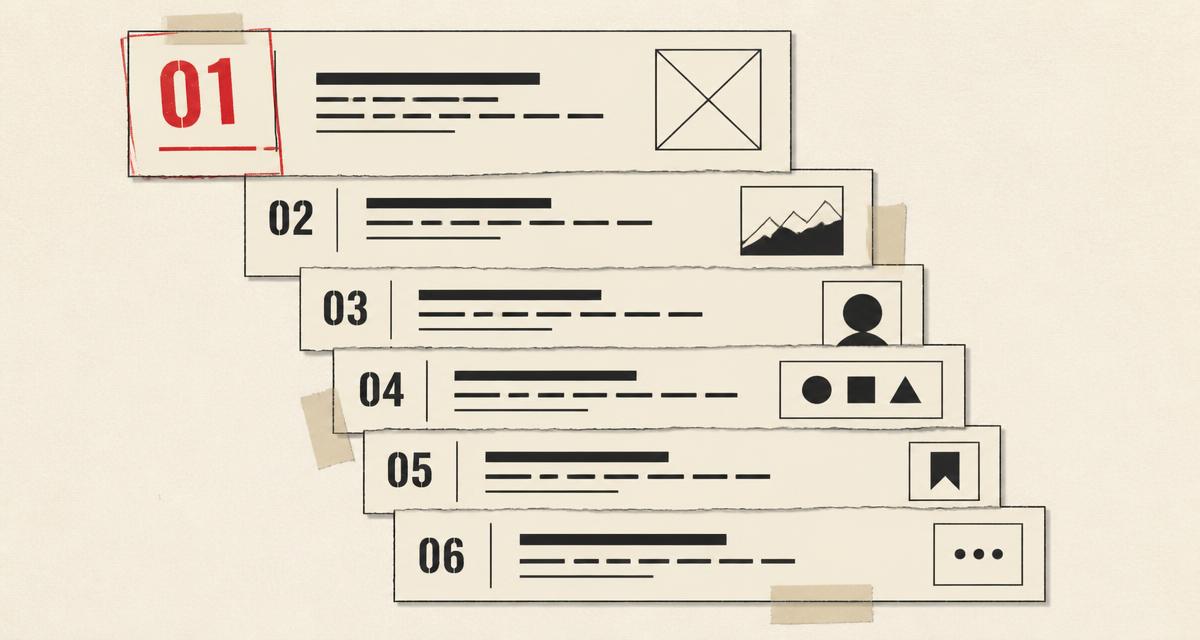
The ranking is built on workflow, because workflow determines how the tool fits your week. URL-first tools read your page and remove the most steps. General-purpose image AIs paint whatever you describe, which means you also own the size, the text, and the brand work. Code-driven tools give full control but require a developer to own them. Manual design is manual. Comparing template counts across those categories is comparing apples, oranges, and a soldering kit.
| Workflow | What you do | What the tool does | Representative tools |
|---|---|---|---|
| URL-first AI generation | Paste a URL | Reads page brand, tone, palette; generates original card variants | Oginify |
| General-purpose image AI | Write a prompt, pick a size | Paints an image you then crop, resize, and export to 1200×630 | Gemini, GPT Image 2, Midjourney |
| Code-driven generation | Write JSX or markup | Renders HTML/CSS to PNG at the edge | Vercel OG (@vercel/og), Satori |
| Manual design | Upload or design by hand | Gives you a canvas; you own the whole card | Canva |
The ranking weights three things in order: how many steps the tool removes between URL and a publishable PNG, whether the output is brand-matched rather than a generic picture, and how the pricing behaves at the volume you actually need. A tool that removes more steps ranks higher even if its feature list is shorter — because the point of the category is removing work.
One note on fairness before the list: every tool below has at least one real strength and at least one situation where it is the wrong choice. The goal here is a ranking by job fit, not a coronation, and the sections that follow give each generator its honest due.
3. The best AI open graph image generators, ranked
1. Oginify — Best for shipping a card from a URL
Oginify is the URL-first AI generator: you paste a live page, it fetches the HTML, reads your title, description, primary color, and logo, and paints four 1200×630 PNG cards — one on-brand and three creative wildcards in editorial, terminal, and Swiss-minimal directions. There is no prompt box and no template picker; the URL is the entire input, and a run lands in about thirty seconds. You can regenerate any variant you do not like, download the PNG at native 1200×630, and copy ready-made Open Graph and Twitter Card tags into your page head. No signup is required for the free quota, which is six generations a day per signed-in account.
The workflow difference is what earns the top rank. A general-purpose image AI asks you to describe what you want, pick a size, and handle the brand; a code tool asks you to write the layout. Oginify asks for the URL you already have, which collapses the entire design step into zero decisions. Because it reads the brand from your page, the card matches your actual site instead of a generic picture with your logo dropped on top. And the pricing matches the one-off job: pay per card ($0.99 single, $7.90 for ten, $29 for fifty) with credits that never expire, no subscription and no monthly reset — the full pay-per-card pricing tiers are public. The same engine is available as an MIT-licensed open-source Agent Skill — social-cards-skills on GitHub — for teams that want to run generation in their own pipeline.
Where it is not the right call: if you want a single, highly art-directed card that no automated generator would think of — the kind of image a designer would argue about for a week — a general-purpose model like Midjourney gives you more creative latitude. And if you need hundreds of images per month driven by your own data, a code-driven pipeline will be more controllable than pasting URLs one at a time. For the individual founder or small team shipping a handful of cards per week — the core job of this category — nothing in 2026 is faster from URL to a brand-matched, unfurl-ready PNG.
2. Gemini — Best for free, prompt-driven cards
Gemini is Google's family of image models — as of mid-2026 the current generation is Gemini 3.1 Flash Image (Nano Banana 2), which reached general availability in May 2026 with improved image quality, stronger multilingual text rendering, new aspect ratios, and conversational multi-turn editing, according to Google's documentation for Gemini 3.1 Flash Image. You describe the card you want, ask for a 1200×630 landscape, and the model paints it; editing is natural-language ("make the headline bigger, shift the palette to teal"). For people who already work in Google AI Studio or the Gemini app, it is the lowest-friction way to get a good-looking card.
The pricing is genuinely competitive for a general-purpose tool. The API has no free tier for image output, but the rates are low: roughly $0.045 per 512px image, $0.067 per 1K image, and $0.151 per 4K image, with Batch API at 50% off on Google's published Gemini API image rates. That means a 1024×1024 card runs well under a dime, cheaper than any human touch. The trade-off is that nothing is automated around the OG job: Gemini will happily paint an 800×800 portrait or a square, so you must specify the 1.91:1 ratio in the prompt, verify the text it renders, export the PNG, host it, and write the og:image tag yourself.
3. GPT Image 2 — Best for text on the image
GPT Image 2, released April 21, 2026 as ChatGPT Images 2.0, is OpenAI's current image model — the default that replaced both DALL·E 3 and GPT Image 1.5. Its headline change is native reasoning: the model "thinks" before it draws, which shows up as stronger instruction-following, legible multi-script text rendered onto the image, and consistent subjects across a batch, as OpenAI's own breakdown of what GPT Image 2 changed describes. For OG cards, that text legibility is the feature that matters most — a card whose headline renders cleanly at thumbnail size beats one with a pretty background and garbled type.
It is available inside ChatGPT for subscribers and via the API for builders. The API is token-billed rather than per-image: image output runs $30 per million tokens, which works out to roughly $0.006–$0.053 for a 1024×1024 image depending on quality tier, with high quality around $0.21 under OpenAI's current image-token pricing. The same caveat as Gemini applies: GPT Image paints what you prompt, so the 1200×630 size, the brand palette, and the export-to-host step are on you. If your card is text-forward — headlines, subheads, a number you want crisp — GPT Image 2 is the strongest general-purpose choice in this ranking.
4. Midjourney — Best for pure artistic quality
Midjourney is the aesthetic benchmark of AI image generation: its out-of-the-box results carry an art-directed polish no other model matches with as little effort, and as of April 2026 the current version is V8.1. For a card meant to stop a scroll on a visual feed — an essay cover, a podcast episode, a film-adjacent announcement — Midjourney produces the most beautiful starting images in this list. It runs as a subscription with no free tier: Basic is $10/month, Standard $30, Pro $60, and Mega $120, with annual billing saving 20%, and images you generate are yours to use commercially across all plans, as Midjourney's plan comparison sets out.
The limitations are the reason it ranks fourth for this specific job. Text rendering is Midjourney's weak spot — headlines and body copy come out less reliably than on Gemini or GPT Image, and for an OG card the headline is most of the image. There is also no official API, so a solo developer cannot script generation the way they can with Gemini or OpenAI. And it is the most expensive option in this list with no free tier to try. If your card is a piece of art with minimal text, Midjourney is the best general-purpose painter here; if your card is a headline on a background, you are fighting the tool's weakest ability.
5. Vercel OG — Best for developers who code their cards
Vercel OG (@vercel/og) generates images from JSX inside an edge function: you write the layout as React, Satori converts HTML/CSS to SVG, and Resvg renders the PNG. It is free on Vercel's free tier, deeply integrated with Next.js, and caches generated images on the CDN with the right headers so recomputation is rare. For a developer who owns their stack, this is the most flexible option in the ranking — the layout is code, so it versions, tests, and scales with your app. The official Vercel OG docs cover the supported CSS subset and edge caching in detail.
The cost is control: Satori supports a limited CSS subset (flexbox and absolute positioning, no grid), so complex layouts need workarounds, and someone has to build and maintain every template. This is the opposite trade from a URL-first tool — maximum control, minimum convenience. It ranks #5 because for the non-developer majority this ranking serves, writing JSX is more work than pasting a URL, but for a Next.js team it remains the standard choice.
6. Canva — Best for one-off manual cards
Canva remains the familiar fallback: thousands of templates, a real design canvas, and no code. For a one-off card that you will design carefully by hand, nothing on this list is easier to start with, and the free tier is genuinely usable. Paid plans run around $13 a month, in line with a 2026 roundup of OG image tool pricing. Canva also added AI generation into its editor in recent years, so you can prompt for a background and finish the layout yourself.
What keeps it last is that manual design does not scale: every card is a separate design session, there is no URL crawl, no API for the common tiers, and brand consistency depends on your discipline. If your need is one card per quarter, Canva is fine; if your need is a card per page, it is the wrong tool by definition.
4. How to choose the right generator
Work through the decision in the order the ranking is built. If you have a live page and want a brand-matched card right now, with zero setup and no subscription, a URL-first tool is the answer — Oginify for the fastest run. If you already live inside Gemini, ChatGPT, or Midjourney and want to paint cards yourself, those general-purpose models are cheap and capable, as long as you are willing to own the size, text, and hosting steps. If you are a developer on Next.js who wants the layout as code, Vercel OG is free and the standard. And if your need is a single designed-by-hand card, Canva is reasonable.
- Speed to first card matters more than template count? → URL-first AI generation (Oginify).
- Already paying for Gemini, ChatGPT, or Midjourney? → Prompt the card and handle the 1200×630 crop yourself.
- The card is a headline with clean text? → GPT Image 2 or Gemini render text most reliably.
- The card is pure art with minimal text? → Midjourney paints the best starting image.
- Your team owns the layout and ships on Next.js? → Vercel OG.
There is no single winner across all jobs, and there does not need to be. The ranking collapses to one honest rule: match the tool to the step that is actually blocking you. If the blocking step is design, use a generator that reads your page or accepts a prompt. If it is integration at scale, write code. If it is a one-off poster, open Canva. Starting from the friction rather than the brand is what separates a useful tool choice from a subscription you cancel in three months.
5. What's next for AI open graph images
The direction of the category is unmistakable: the input is moving from prompts and templates toward URLs, and the remaining bottleneck is not image quality but distribution. A tool that reads your live page already has everything it needs — title, palette, logo, tone — so the next generation of cards will be generated per page, per campaign, and per share rather than per template. The general-purpose models will keep improving text rendering — the current gap that keeps prompt-driven cards from being one-step — and their per-image costs will keep falling toward a rounding error. The tools ranked here are already shipping pieces of that future; the question for you is which one shortens your own path from URL to shared link today.
Conclusion
AI open graph image generators in 2026 split by workflow, and the fastest workflow — paste a URL, get a brand-matched card — is the one this ranking puts first. Oginify removes the most steps between you and a finished 1200×630 PNG, with a pay-per-card price that matches the job; Gemini and GPT Image 2 are the strongest general-purpose painters, cheap and capable if you own the size and hosting yourself; Midjourney is the art benchmark for text-light cards; and Vercel OG remains the developer standard. Whichever workflow you match, the bar to clear is the same: your link should look right in every place it unfurls.
Paste a live URL into Oginify and you will have four on-brand card variants in about thirty seconds — no signup required for the free daily quota. If you want to understand the 1200×630 spec your card has to hit before you generate, the Open Graph validator checks your current tags, and the card gallery shows what a single URL produces across page types. Start from the URL you already have; the card follows.