
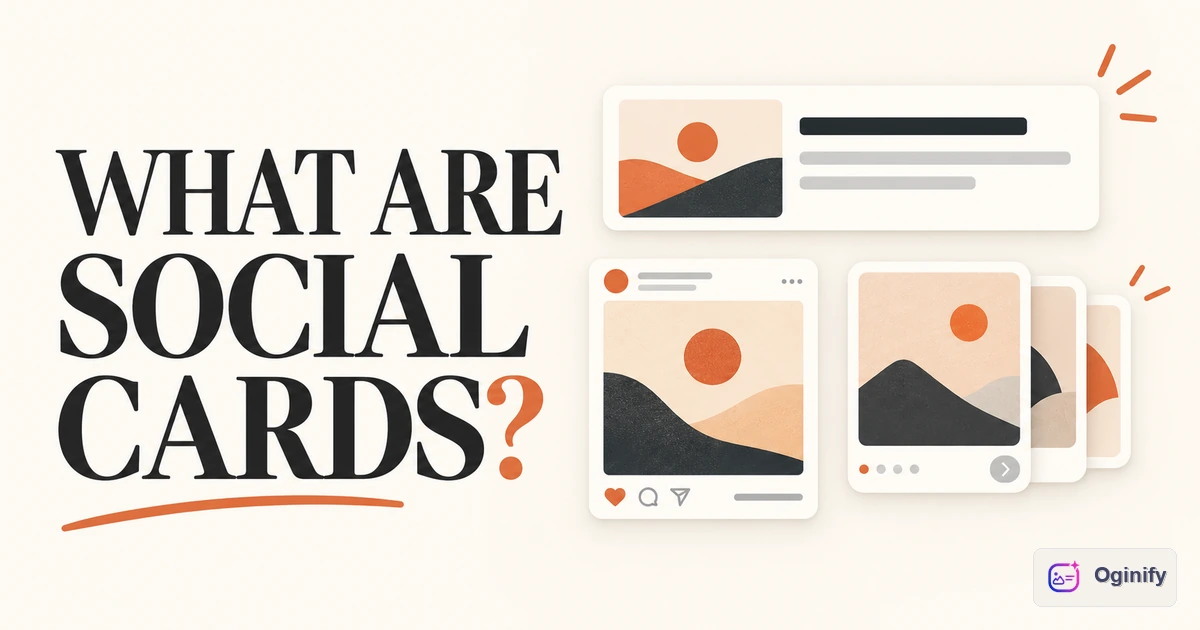
A social card is a compact, self-contained visual used to make a piece of content recognizable in a social feed, conversation, or shared-link preview. It might be a designed image you upload with a post, a slide in a carousel, or the image inside the preview generated when someone shares a URL. These uses share a design problem—communicating one idea in a small frame—but they do not share one publishing mechanism.
That distinction matters. If you design a beautiful post image and then paste a link, the link's preview may still show an old thumbnail. Conversely, changing a webpage's Open Graph metadata will not replace a photo already uploaded to a post. LinkedIn's help documentation distinguishes sharing a URL from uploading a photo; the latter does not simply inherit the page's preview image.
Two ways a card reaches the audience
The most useful split is not by platform or pixel size. It is by who assembles the final card.
| Card you see | How it appears | What the creator controls |
|---|---|---|
| Link-preview card | A platform reads a shared URL and renders a preview | The page's title, description, image metadata and accessible image URL; the platform controls the final layout |
| Uploaded post card | The creator attaches a designed image to a post | The artwork and accompanying post text, subject to the platform's crop and display rules |
| Carousel card | The creator uploads a sequence of designed slides | Each slide and its order; the first slide must still work as an entry point |
This is a practical editorial grouping, not an official cross-platform standard. The term social card is used in both senses: UNESCO's communication toolkit calls its editable, shareable graphics “social media cards,” while platforms also use cards for rich link previews. What unites them is the job of carrying a message into a feed; what separates them is the publishing path.
A social card is therefore narrower than “any image on social media.” A candid event photo, for example, may be valuable content without being a card. A card is deliberately composed to stand on its own: a subject, a readable message or visual proposition, and enough identity or context to make sense when separated from the original page or post.
Where OG images, X Cards and GitHub previews fit
An Open Graph image is an image a website declares using og:image. It is an input to a link-preview card, not a universal name for every social graphic. The Open Graph protocol defines og:image as the URL of an image representing the page. The platform reading that metadata decides how to arrange the image with the title, domain and other information. For the tag and implementation details, see our Open Graph image explainer.
An X/Twitter Card is a platform-specific link-preview format. It belongs on the link-preview side of the family, even though its name contains “card.” It is not the same thing as an image manually uploaded to an X post.
A GitHub Social Preview is the image GitHub lets a repository owner upload for links to that repository. GitHub's official instructions place it under repository settings. That makes it a link-preview asset, but its owner changes it in GitHub rather than in the <head> of a website they host. A README image is not automatically the repository's selected social preview.
Finally, an announcement card, quote card or takeaway card is normally a designed post asset. It can reuse the same brand and message as a link preview, but uploading it to a feed and setting og:image are separate operations. A carousel is simply several such cards in a deliberate sequence; it does not become an OG image because one slide includes a URL.
Choose the publishing path before designing
Imagine a product announcement with one headline, one product screenshot and one URL. You might need two assets: a wide preview for people who paste the product link into a chat, and a taller or square post card for a feed announcement. They can share a visual language without being the same file.
If the goal is “make this URL look right wherever it is shared,” begin with the destination page. Check its live metadata, create a page-specific preview image, publish that image at an accessible URL, and inspect the result in the places where the link will appear. If the goal is “make this post understandable in the feed,” design the uploaded card around the post's single message and check the platform's actual crop. For a carousel, give each slide one job and make the first slide intelligible without swiping.
Avoid treating one recommended dimension as a law for the whole category. The Open Graph specification does not prescribe a universal social-card size; GitHub's social-preview guidance has its own recommendation, and LinkedIn documents different behavior for uploaded photos and shared links. Start with the destination and its current requirements, not with a master canvas labeled “all social.”
What makes a card work
The best test is whether someone can understand the subject at feed size without reading the entire caption. Use a clear visual hierarchy, a real brand cue where identity matters, and only the words the image needs. A quote card needs a trustworthy attribution. A product card needs recognizable product evidence. A link preview needs to match the page people will actually open. None of these requires filling every corner with a logo, URL and call to action; those elements help only when they clarify source or next step.
Design is only half the job for link previews. The image must be attached to the right URL through the right platform mechanism. A well-made file does nothing for a shared link if the page points to a different image or the platform cannot retrieve it. Conversely, a valid og:image tag does not guarantee that every feed will use the same crop or show the same text.
The short answer
Social card is a useful umbrella term for intentional, card-like visuals used in social distribution. Some are link previews assembled by a platform from a URL; others are images uploaded by the creator as posts or carousel slides. OG images, X Cards and GitHub Social Previews belong to the link-preview branch. Quote, announcement and takeaway cards usually belong to the uploaded-post branch. They can share a design system, but not one universal publishing step.
If your immediate job is the link-preview branch, OG Reframe lets you start from a URL, text or image and create an Open Graph asset. Then use the Open Graph validator to inspect the page's metadata before sharing it. For uploaded post cards, prepare and check the asset in the publishing platform itself; an OG image generator does not publish a native social post for you.