
Announce
Debut the Card With the Date on It
The moment tickets open, the URL is shared everywhere — the card should already carry the date, city and one hero speaker.
Speaker portraits, stage colour and a time chip — event cards make the schedule sharable in the tone of Figma Config or SaaStr, without redrawing the poster for each talk
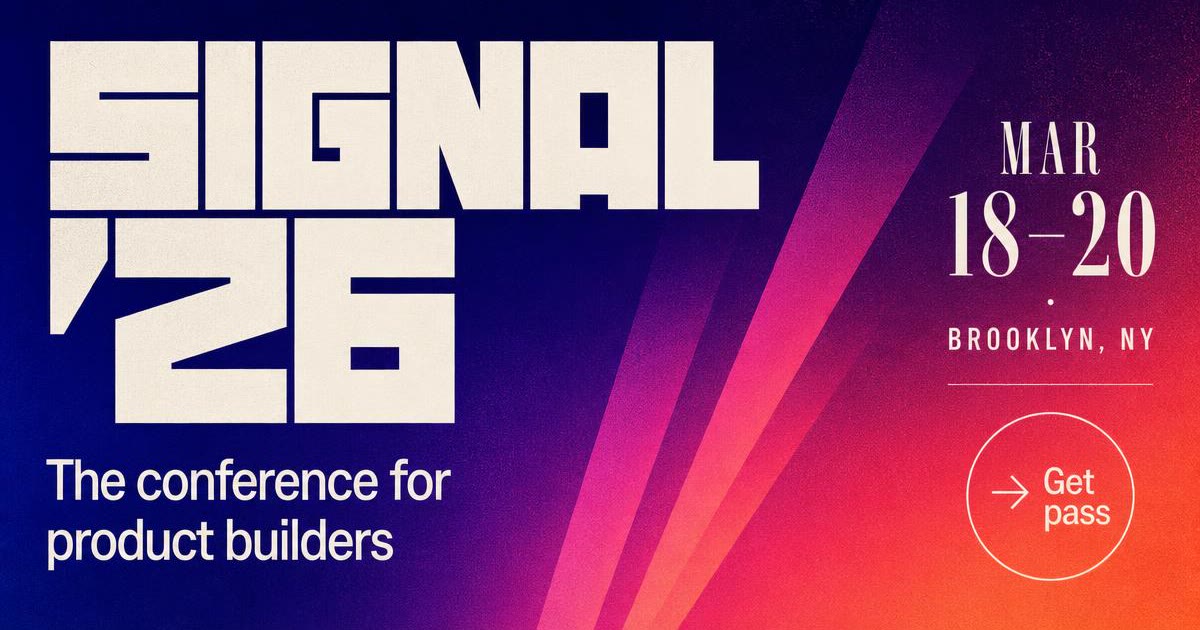
The event landing page is the URL that seeds all the other shares — the ticket-pusher, the calendar hold, the look what I'm going to. Oginify renders a poster-style card with the event name, date and city composed exactly like a physical event poster, so the link on LinkedIn reads as this is a real event I'm attending.
Every speaker on the lineup will share their own talk page — and every speaker share is free marketing for the event. Oginify renders a speaker card with the portrait, role and talk title, so the speaker's own LinkedIn post has a card their followers actually stop scrolling for.
Once tickets are out, attendees share the agenda as look at this lineup. Oginify renders a schedule card with real time slots and speaker avatars — the shared link communicates this is what you get for the price without the reader ever opening the page.
The ticket page is where the click actually converts. Oginify renders a ticket card with tiers, prices and a hero photo of last year's crowd — the unfurl is a paywall preview that removes surprise and increases click-through on the CTA.
Event URLs get forwarded into invite threads and slack channels. The card should carry the date, the venue and the vibe.
Announce
The moment tickets open, the URL is shared everywhere — the card should already carry the date, city and one hero speaker.
Poster
Type-forward, one photo, sharp date stamp — the card should feel like the flyer you would pin to a cafe board.
Speaker share
Each speaker page needs its own card — their portrait, their talk title — so their share does not leak the generic homepage.
Event shares are about date, city and speakers — a card that omits any of those forces the reader to click to find out what it even is.
ISO date and city as the second-loudest element after the H1; those two tokens are what make attendees add it to the calendar.
Cycle the speaker headshot and name on the card each week leading to the event; each rotation gives your team a new share hook.
Repaint the card after the event with 'Watch replay' or 'View recap'; same route, new og:image, new share cycle.
E-commerce storesSaaS & B2BBlogs & newslettersPortfolios & personal sitesMarketplacesDocs sitesMedia & publications
Answers to what event teams actually ask before generating per-speaker and per-session OG cards.
1200×630 pixels is the standard. Oginify outputs exactly that for landing, speaker, schedule and ticket pages.
Yes. Speakers share their own talk pages, and their share is free marketing for the event. A per-speaker card converts that share into a click-worthy unfurl.
Ship them the same day the site goes live — the landing page card is what seeds the first wave of shares (I'm going to X), and that first wave is where most ticket demand comes from.
Yes — re-run the affected URLs, download the new cards and replace the og:image files. Social platforms re-fetch on a later share or through their sharing debuggers.
For a multi-tier event, yes — different pricing pages get shared to different audiences (Early Bird vs VIP). Different cards let each tier's share speak to its own audience.
Paste any event URL and get four 1200×630 Open Graph cards tuned for landing, speakers, schedule and tickets. No signup.