
Launch day
Announce the New Homepage Rewrite
Post the fresh hero on X and LinkedIn with the exact H1, screenshot and gradient the visitor will see on click.
The homepage link is the one visitors send when someone asks what you're building. Turn it into a card that carries your brand the way a pitch deck cover would.
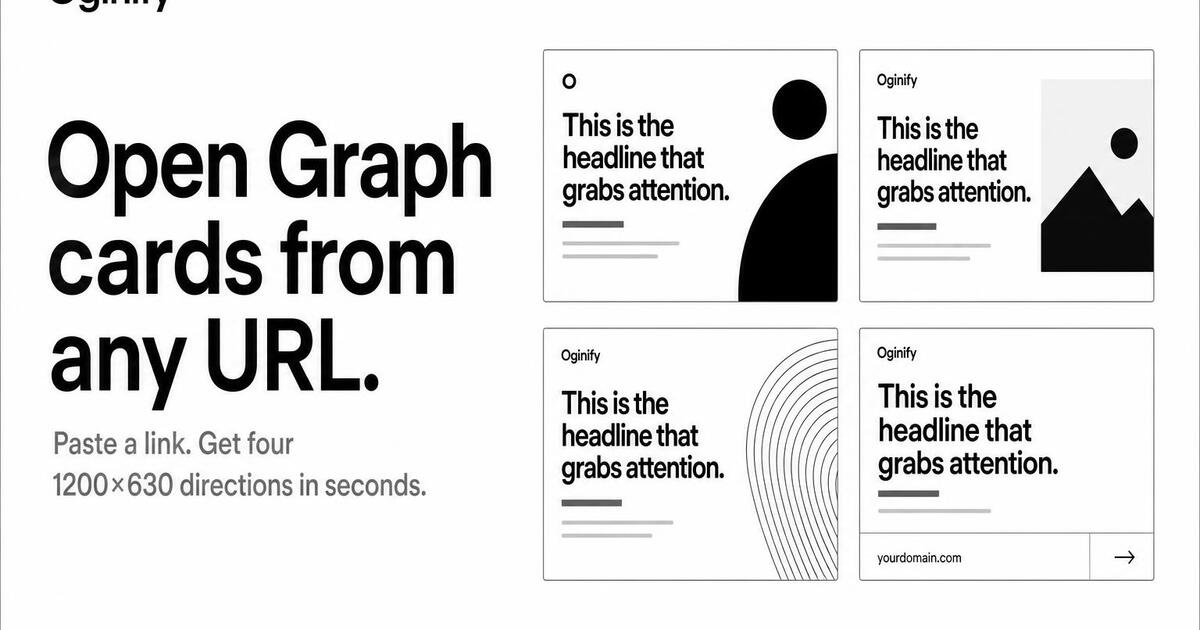
Built for the way modern teams ship homepages — fast, brand-aware, and free to try without an account.
Oginify fetches your live homepage and extracts the primary palette, logo, headline and tone automatically. No upload, no Figma file, no design system JSON. The card matches the page, not a generic template.
Every generation returns one on-brand card plus three creative wildcards, so growth teams can A/B which direction earns more clicks. The wildcards are real creative spread, not minor color tweaks.
The homepage card unfurls in every place your team links the brand — Twitter DMs, LinkedIn posts, investor portals, the iMessage thread where someone forwards it to their cofounder. The built-in validator walks all four major platforms before you publish, so the first impression is the one you intended, not the one a missing meta tag served.
You get the full Open Graph and Twitter markup with width, height and og:image:alt already wired the way the spec recommends. Drop it into <head> once and you're done.
The homepage is just the start. The same generator powers pricing, article, changelog and comparison cards — so you can ship a coherent brand across every link on your site.
No signup, no credit card, no Chrome extension to install. Paste a homepage URL in the browser and four cards land in seconds — keep what works, regenerate what doesn't.
SaaS · stacklane.com
Slack, X, investor decks — your homepage URL is the first thing anyone sees of the brand, and every other link in those threads is a competitor. Oginify reads the live page for product name, value prop and primary brand color, then returns four directions in one run. Growth teams A/B which one earns the click in the only environment where it matters — the feed itself.
E-commerce · kestrel & co
A DTC homepage is brand window and seasonal landing in one URL — premium and editorial when it works, generic and platform-default when it doesn't. Oginify holds the premium register and re-runs in seconds when the hero swaps for a new collection. The card you shared in October and the card on the page in December stay in sync without anyone re-exporting in Figma.
Content & media · the meridian
A masthead built over years of typography work gets erased the moment a stock thumbnail unfurls in someone's feed. The cure is a homepage card that sits inside the same typographic system as the article cards already going out — same serif, same hierarchy, same proportions. Oginify keeps that editorial discipline intact, so the homepage doesn't undercut the rest of the site.
Dev tool · forge.dev
Anything that looks SaaS-y on Hacker News gets dismissed before the link is clicked — dev-tool homepages with gradient unfurls learn this on every launch. The terminal direction gives you monospace details, a real command snippet, an accent that's actually a syntax-highlighter color. To engineers it presents as an engineering project, which is the only audience that matters for those URLs.
Every share of the front door is a first impression. Here is where the card earns its keep.
Launch day
Post the fresh hero on X and LinkedIn with the exact H1, screenshot and gradient the visitor will see on click.
Editorial
Long-form posts about the company always link home; the card carries the wordmark and current tagline instead of a legacy screenshot.
Growth loop
Cold outreach from indie founders juggling outbound channels pastes the homepage URL — the card intros before the pitch does.
Automation
Wire the endpoint into the site pipeline so a rebrand PR ships a new card the moment main deploys.
The homepage share is the front door — brand mark, category claim and one anchor visual, tuned so it still lands at the 200-pixel Slack thumbnail crop.
Logo top-left with 24-pixel logo-safe padding; that fixed position is what makes every subsequent card feel like the same site.
Headline names the noun: 'AI open graph images', 'observability for data teams'. Save clever taglines for the site itself.
The X timeline crops to 506 wide, Slack to 200. Any element that disappears at 200 does not belong on the homepage card.
Pricing pagesArticles & blog postsDocs & API referencesCase studies & customer storiesChangelog & release notesComparison & vs pagesAbout & company pages
The most-shared page on your site: what a strong homepage OG card looks like.
Paste your root domain. The generator reads your headline, subhead, primary CTA, brand color and logo, and paints four 1200×630 cards: one on-brand and three wildcards in editorial, terminal and swiss directions. Homepage is the highest-authority path — worth generating four and A/B testing.
Because the homepage is the URL that lands in every 'check this out' DM, every Slack cold outreach, and every LinkedIn profile link. It's the single most-shared page on almost every site. A bland homepage card costs more shares than every article card combined would.
Product name in your typography, a one-line value prop in Title Case, brand color as the background, logo in the safe zone. Skip screenshots of the product UI — they don't compress well to 1200×630 and read as 'another SaaS' in feeds. The type-forward composition wins.
Yes. Re-run the URL through Oginify the same day the rebrand ships — the crawler reads the new brand color and logo from your live HTML. Swap the og:image path and clear the Meta Sharing Debugger and X Card Validator caches for immediate refresh.
SaaS defaults to swiss/editorial, dev tools to terminal/code-editor, e-commerce to lifestyle photo, editorial to magazine, agencies to portfolio grid. Pick your website type from /websites for a tuned entry point that lands closer on the first try.
Depends on the shape of your funnel. B2B SaaS: homepage > pricing > features. Consumer: product > homepage. Dev tool: docs > homepage > GitHub. Whichever is #1 in your analytics is the one to invest the most card-quality attention into.
Paste your homepage URL and get four 1200×630 Open Graph cards on demand. No signup.